
WiFi Map: Free Wi-Fi Near You
WiFi Map LLCTravel & Local
4.318.29K Reviews
- Version
- 8.6.67
- Installs
- 100.00M
- Age Rating
- Everyone
Screenshots



Our Review of WiFi Map: Free Wi-Fi Near You
 Analysis by Appyee
When I need a connection away from home, I’d rather have a few possible hotspots mapped out than wander from café to café hoping for the best. WiFi Map: Free Wi-Fi Near You is built around that practical idea: it helps me look for nearby public Wi-Fi, with community-shared network details and tools aimed at travelers. I find it most useful as a backup to mobile data, not a promise that every marked network will be available or worth using.
That distinction matters. A map pin can point me toward a place to check, but the venue may have changed its network, a password may no longer work, or the signal may be weak from where I’m standing. Used with reasonable expectations, the app can save time and help me plan. Used as a substitute for a dependable connection, it can disappoint.
Finding a useful connection, not just a map pin
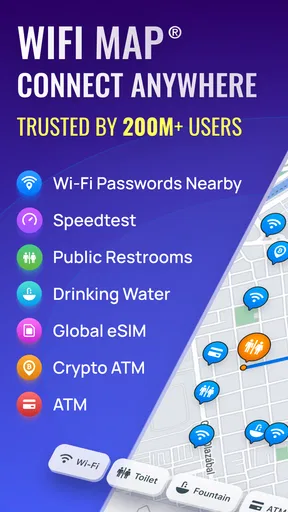
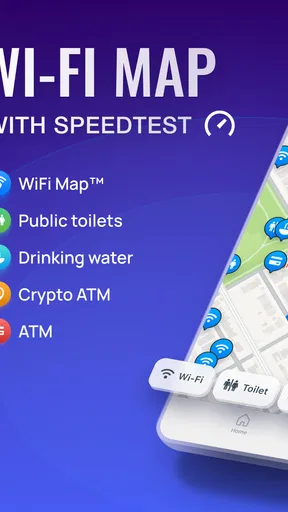
First off, the app is super intuitive. Once you open it up, you’re greeted with a map dotted with Wi-Fi hotspots, like stars in a clear night sky. You can zoom in and out, drag the map around, and explore different areas with ease. The interface is clean and straightforward, which I genuinely appreciate because nobody’s got time to figure out complex apps, right?
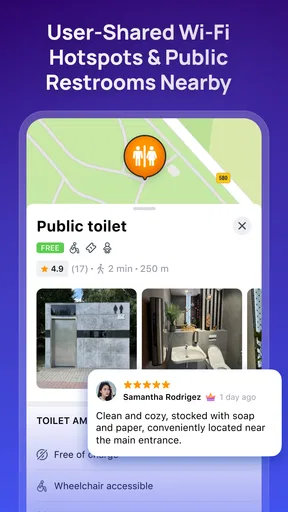
The map is the starting point, but I wouldn’t treat its markers as a guarantee. A hotspot listed near a café or public space is a lead to investigate, not proof that the venue still offers access or that the connection reaches the seats available to you. I’d check the location details before walking out of my way, and keep a second plan if I need to join a work call or send something important.
The beauty of WiFi Map: Free Wi-Fi Near You is that it’s crowd-sourced. Users from all over the globe contribute by adding Wi-Fi locations and sharing passwords. This means the database is constantly growing and updating, making it a reliable tool whether you’re in bustling New York City or a quaint village in Italy.
That community approach is also the main trade-off. Shared information can be especially helpful in places where visitors have already contributed, but it depends on people keeping entries useful. I’d be more confident in a recent, clearly relevant entry than in an old-looking one with little context. If a password fails, I’d ask the venue staff rather than repeatedly trying details that may have changed.
Features worth noting
Beyond just finding Wi-Fi, the app offers a bunch of nifty features:
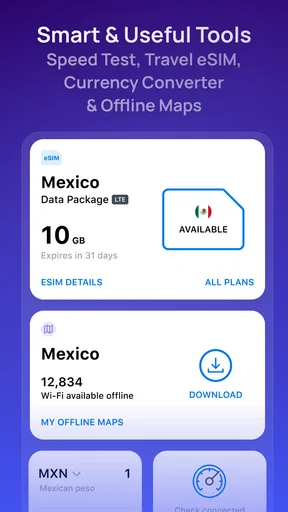
- Offline Access: Before heading out, you can download maps and access them even without a connection. Perfect for when you’re off the grid.
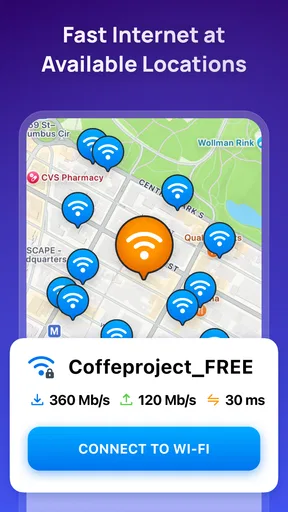
- Speed Test: Curious about the speed of the network you’re about to connect to? The built-in speed test feature lets you know if it’s worth your time.
- VPN Service: Security is key, especially on public networks. The app offers a VPN service to keep your browsing safe and private.
These features add extra layers of utility and security, making the app not just a locator but a comprehensive Wi-Fi companion.
Offline access is most valuable when I prepare before leaving, rather than after I have already lost service. I’d save the area I expect to visit while connected, then use the map as a reference if mobile data drops. It’s a modest bit of planning, but it turns the offline option into something practical instead of an emergency feature I only remember too late.
The speed test is best treated as a quick check of a particular connection at a particular moment. A promising result doesn’t guarantee that the network will remain fast, and a single test can’t tell me whether a café’s Wi-Fi will hold up during a busy hour. For a quick message or map lookup, an imperfect connection may be enough; for a large upload or video meeting, I’d look for a more dependable option.
I also separate the app’s VPN option from the decision to join a hotspot. A VPN can be an extra privacy measure, but it does not make every public network trustworthy or remove the need to be careful with sensitive activity. I wouldn’t use a shared connection for anything where I need a high level of confidence simply because a VPN is available.
Where it fits into an ordinary trip
Imagine arriving in an unfamiliar neighborhood after a train ride, with low mobile signal and a hotel check-in still ahead. I’d use the offline map I saved earlier to look for a nearby public option, choose a location that makes sense for my route, and check the entry before detouring. If the connection works, I can message the hotel or review directions; if it doesn’t, I haven’t built my entire plan around one pin.
This is where WiFi Map has a useful role beside the usual alternatives. A phone’s own map app is generally better for turn-by-turn directions, and a carrier’s data plan is more predictable when I need to be online immediately. Asking staff directly can be the fastest route to a café’s current network details. WiFi Map is different: it helps me discover possibilities across an area and prepare for connectivity gaps, rather than replacing navigation, mobile data, or local help.
For international travel, that makes it a sensible companion when I want to limit roaming use or avoid buying data before I know what I’ll need. It is not a guarantee of free access everywhere, though, and relying on public hotspots alone is a poor fit if my work depends on stable internet. I’d keep essential tickets, directions, and booking details available offline or saved on my phone instead of assuming I can connect at the moment I need them.
Who will get the most from it
I’d recommend it to travelers who like to plan a little, people moving around a city on a tight data allowance, and anyone who is comfortable treating community listings as helpful clues rather than verified promises. It can also suit a local who wants to discover public connections they have not noticed before. The app is free to download, though it includes in-app purchases, so I’d check what is included before paying for anything and avoid assuming every extra is necessary for basic hotspot discovery.
It may be the wrong choice for someone who needs guaranteed access, dislikes checking details, or would rather not connect to shared public networks at all. In those cases, a personal mobile hotspot, a suitable data plan, or a venue’s own confirmed Wi-Fi is a better fit. I’d also avoid planning an urgent task around a hotspot I have never tested; convenience is valuable, but certainty matters more when a connection is essential.
WiFi Map is a travel and local app from WiFi Map LLC. It has an average rating of 4.3 from around three million ratings, with over 100 million installs, which suggests it has reached a large audience of people looking for connectivity on the move. Its age rating is Everyone, and version 8.6.31 requires Android 9 or later. Those details make it easy to judge basic compatibility, while the everyday usefulness still comes down to the hotspot coverage in the places you actually visit.
My experience using it nearby and away
So, I decided to test the app out in my local area first. I was pleasantly surprised by the number of available hotspots, many of which I didn’t even know existed. The app even provided passwords for some of the networks, which worked like a charm! I tested the speed of a few connections, and the results were fairly accurate compared to what I experienced.
Traveling is where this app really shines. On a recent trip, I used it extensively and managed to stay connected without racking up a hefty phone bill. From cafes to libraries, WiFi Map had me covered. The offline maps came in especially handy when I was navigating through areas with spotty cell service.
My practical takeaway is to use it in stages: explore the area while I still have a connection, save what I’ll need, and then check the map when I’m on the move. That workflow is more useful than opening the app only after I’m already stranded without service. If one listing is stale, nearby alternatives may still make the search worthwhile, but I don’t count on the first result being the answer.
A balanced verdict for staying connected
All in all, WiFi Map: Free Wi-Fi Near You is a must-have app for anyone who values staying connected without breaking the bank. The community-driven aspect ensures that the database is vast and continually updated, while the additional features like offline access and VPN service enhance its practicality and safety.
I’d soften “must-have” for people who rarely travel or already have reliable mobile data: they may not open it often enough to justify keeping another app around. For frequent travelers and data-conscious city explorers, though, the combination of a hotspot map, offline access, and connection tools gives it a clear purpose. Just remember that community information can age, public Wi-Fi has limits, and the best backup is still a plan that does not depend on one network working.
Whether you’re a digital nomad hopping from city to city or just someone who enjoys a good cup of coffee with a side of free Wi-Fi, this app is definitely worth checking out. So, give it a go and join the community of Wi-Fi discoverers. Who knows, you might even add a few hotspots yourself!
Verdict
Strengths of WiFi Map: Free Wi-Fi Near You
- Extensive global Wi-Fi database
- User-friendly interface
- Offline maps available
- Community-contributed hotspots
- Regular updates enhance reliability
Limitations of WiFi Map: Free Wi-Fi Near You
- Requires internet for updates
- In-app ads can be intrusive
- Some outdated hotspot info
- Premium features cost money
- Battery usage can be high
Similar Picks in This Category
View All
Google Maps
Google LLC3.4

Google Maps Go
Google LLC4.1

Booking.com: Hotels & Travel
Booking.com Hotels & Vacation Rentals4.8

Google Earth
Google LLC3.8

Skyscanner Flights Hotels Cars
Skyscanner Ltd4.8

trivago: Compare hotel prices
trivago N.V.4.4
You May Also Like
View All


Frequently Asked Questions
What is WiFi Map and how does it work?
WiFi Map is a mobile application designed to help users find free Wi-Fi hotspots around them. It uses crowdsourced data contributed by users worldwide to provide accurate and up-to-date information on available networks. The app displays a map with Wi-Fi locations, making it easy for users to find and connect to free internet access nearby.
Is WiFi Map free to use, or does it have any in-app purchases?
WiFi Map offers a free version with basic features allowing users to access nearby Wi-Fi hotspots. However, it also includes in-app purchases and a premium subscription. The premium version provides additional features such as offline maps, faster access to new hotspots, and an ad-free experience. Users can choose based on their needs and preferences.
How reliable is the information provided by WiFi Map?
The reliability of WiFi Map's information largely depends on user contributions, as it is a community-driven app. While many hotspots are accurate, some may be outdated due to changes in network availability or passwords. Users are encouraged to contribute updated information, which helps improve the app's accuracy and usefulness for others.
Can I use WiFi Map offline, and how do I enable this feature?
Yes, WiFi Map offers an offline mode, which is particularly useful for travelers or when you don't have internet access. To use this feature, you need to download the map for your desired location while you have an internet connection. Offline maps are available as part of the premium subscription, allowing you to access hotspot information without being online.
Is WiFi Map safe to use, and how does it protect user privacy?
WiFi Map prioritizes user privacy by not requiring personal information during sign-up and by not storing sensitive data. However, users should be cautious when connecting to public Wi-Fi networks as they can pose security risks. It's advisable to use a VPN for added security and to avoid accessing sensitive information over public Wi-Fi.
